 Loyaltri
Analytics – Workforce Insights in the Growth Module
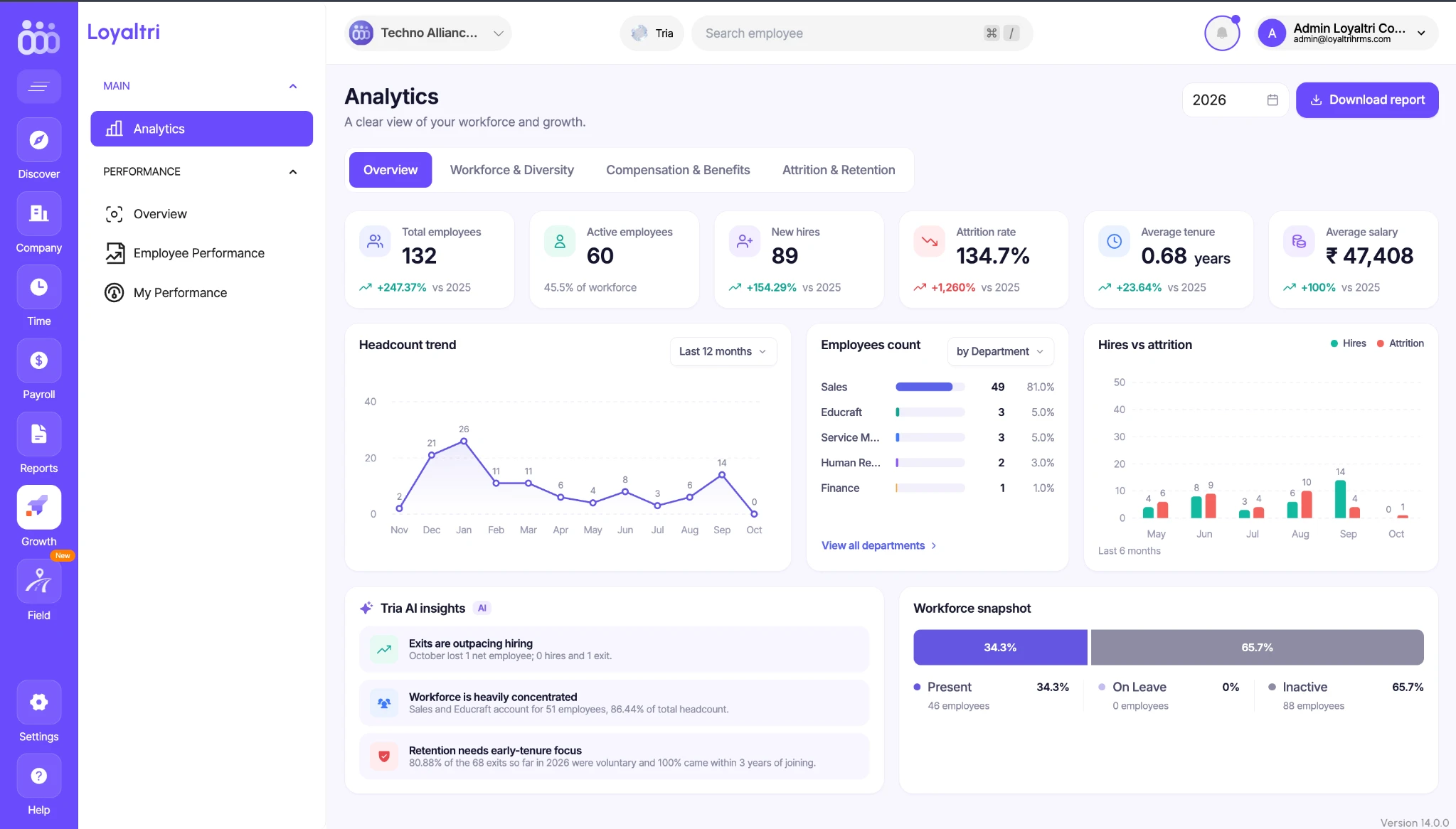
Introducing Analytics, available as an add-on in the Growth module.
Analytics brings key employee and payroll information into one dashboard, using easy-to-read charts and summaries. HR and management can understand how the workforce is changing, review salary costs, and identify areas that need attention without manually combining multiple reports.
The dashboard includes four sections:
Overview
Get a quick summary of your workforce, including:
- Total and active employees.
- New hires and employee attrition - the rate at which employees leave the company.
- Average tenure-how long employees have been with the company.
- Average salary.
- Employee count trends and department-wise distribution.
- A comparison of employees joining and leaving.
- A workforce snapshot showing employees who are present, on leave, or inactive.
Tria AI Insights also highlights patterns in the data, such as exits exceeding new hires or employee departures being concentrated within the first few years of service.
Workforce & Diversity
Understand the makeup of your workforce through:
- Employee counts by department and location.
- Gender distribution.
- Average age and age-group distribution.
- Full-time employee count.
- Years of service.
These views help you understand where employees are based and how the workforce is distributed across different groups.
Compensation & Benefits
Review salary and payroll information, including:
- Average salary and monthly payroll amounts.
- Variable additions and deductions.
- Cost per employee.
- Overtime costs and monthly overtime trends.
- Employee distribution across salary ranges.
- Average salary by department.
This helps HR and management compare salary patterns and monitor changes in payroll spending.
Attrition & Retention
Understand employee departures and how well the company retains its workforce. You can review:
- Attrition and retention rates.
- Number of employees who have left.
- Monthly attrition trends.
- Departures by department.
- Recorded reasons for leaving.
- Departures by length of service and salary range.
- Voluntary and involuntary exits.
These details help identify where departures are concentrated and guide further review.
Access and Reports
Go to Growth → Analytics, select the year you want to review, and explore the dashboard sections. Use Download report to download the analytics report for review or management discussions.
Availability: Analytics is an add-on in the Growth module.
How was this update?
Pick the face that best matches your reaction