 Loyaltri
Control Leave Balance Visibility in the Employee Mobile App
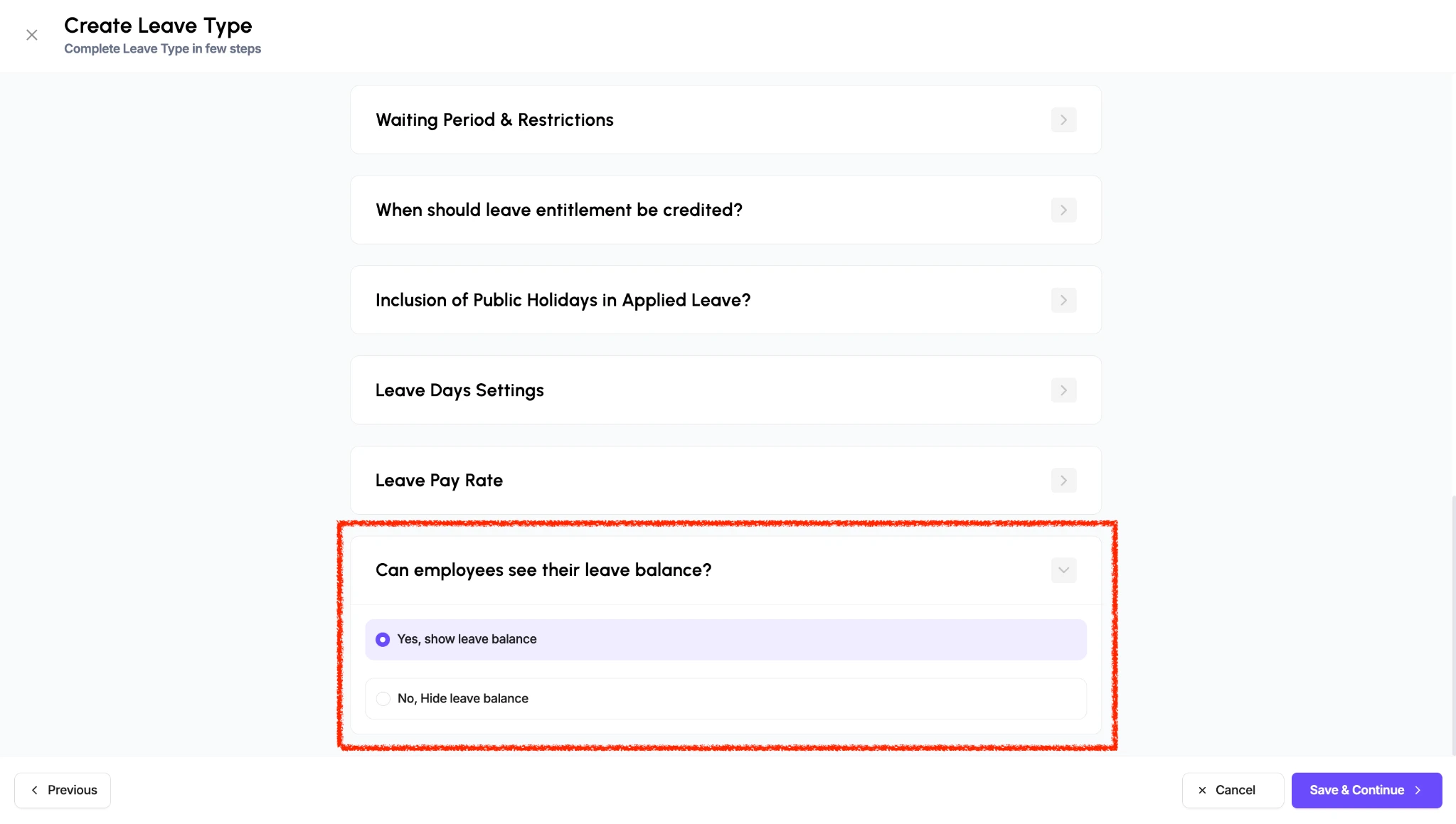
You can now choose whether employees can see their leave balance in the Loyaltri mobile app, separately for each leave type.
In the leave type configuration, open Can employees see their leave balance?
and choose:
- Yes, show leave balance: Employees can view the available balance for that leave type.
- No, Hide leave balance: Employees can apply for that leave type without seeing their available balance.
This gives employers greater control over how leave information is displayed to employees.
How to Configure
1. Open the configuration for the relevant leave type.
2. Expand Can employees see their leave balance?
3. Select No, Hide leave balance to hide it, or Yes, show leave balance to display it.
4. Save the configuration.
Hiding the balance does not prevent employees from submitting leave requests. Requests remain subject to the configured leave rules and approval process.
How was this update?
Pick the face that best matches your reaction