 Loyaltri
Shift Scheduler – Bulk Actions, Activity Log & Schedule Download
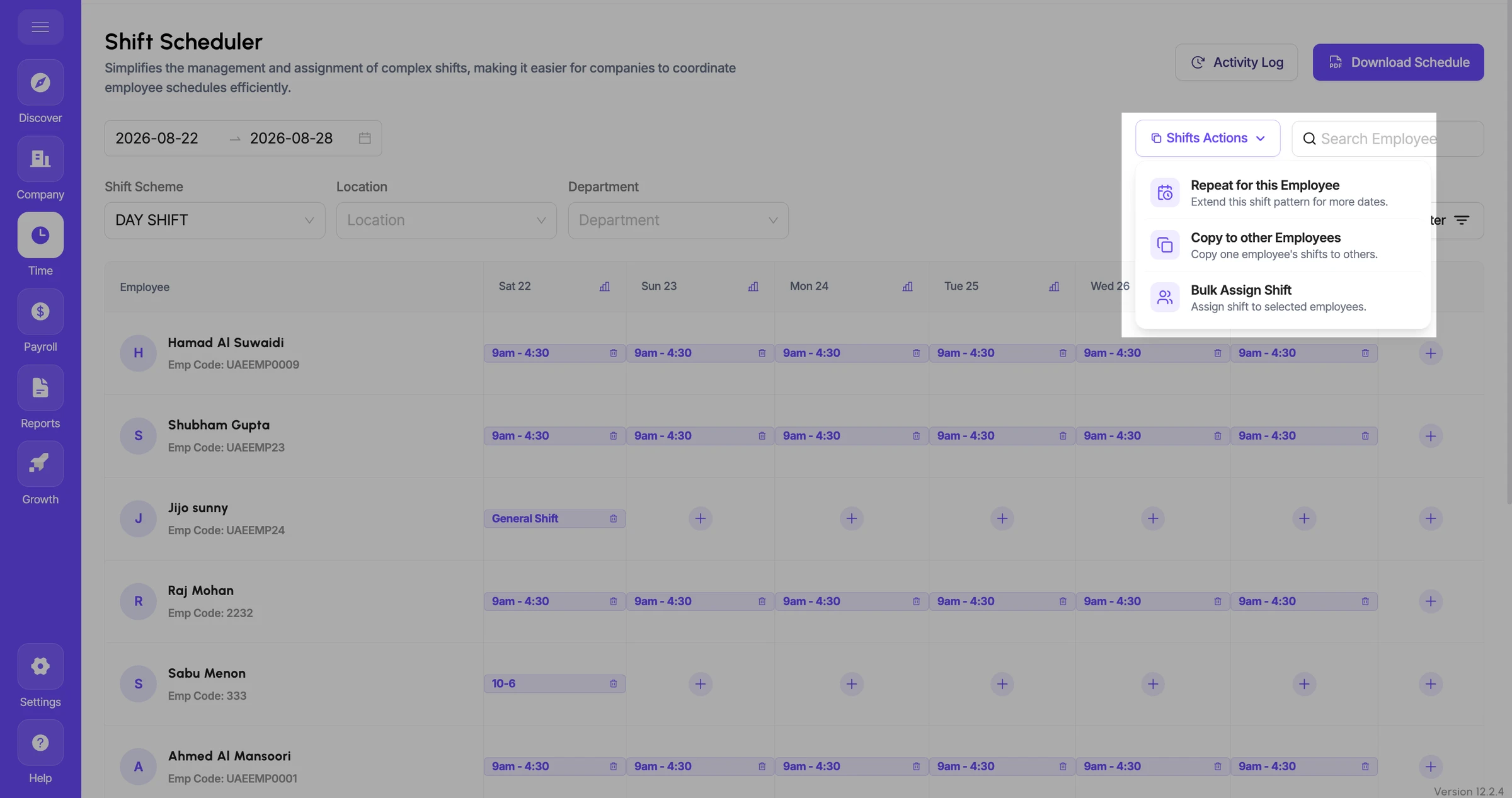
The Shift Scheduler is now enhanced with new bulk actions and tracking options to make roster planning faster, easier, and more efficient.
Managers can now repeat schedules, copy shifts between employees, assign shifts to multiple employees at once, track scheduler changes, and download the weekly roster in PDF format.
What’s New
- Repeat for this Employee
Copy an employee’s existing shift pattern to another week or future date range.
Useful when the same employee follows a recurring roster pattern.
- Copy to Other Employees
Copy the shift schedule of one employee and apply it to one or multiple employees.
This helps avoid manually creating the same schedule repeatedly for employees working similar shifts.
- Bulk Assign Shift
Select a shift and assign it to multiple employees in a single action.
Bulk assignment can be done for a single day or a selected date range.
- Activity Log
View the complete history of activities performed within the Shift Scheduler.
Helps HR and managers track schedule changes and understand what actions were performed.
- Download Schedule
Download the scheduled weekly roster in PDF format.
The downloaded schedule can be easily shared or printed for operational use.
How was this update?
Pick the face that best matches your reaction