 Loyaltri
Percentage-Based Salary Templates
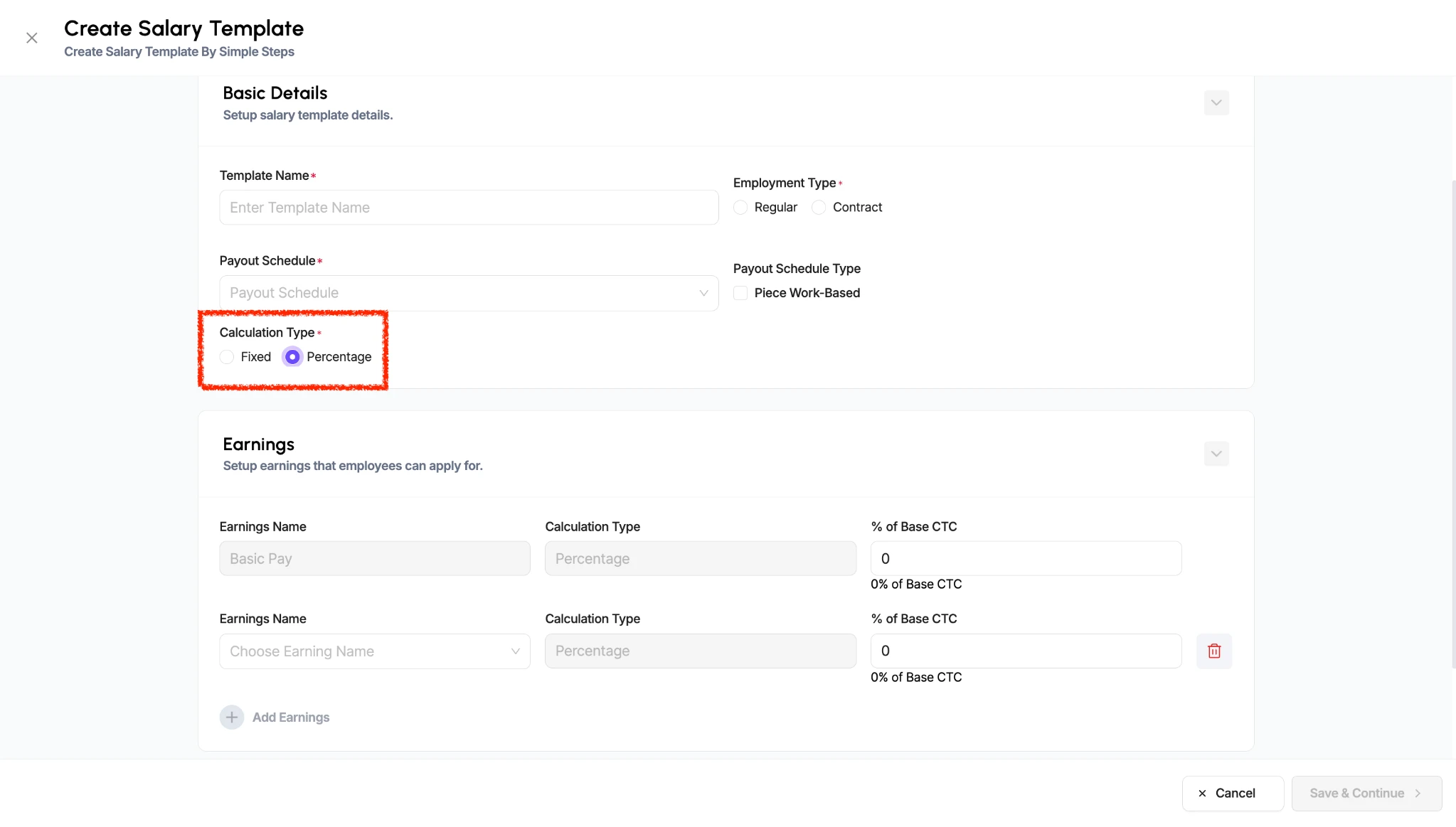
You can now create a salary template that automatically splits an employee’s salary into components using predefined percentages.
Instead of entering a separate amount for Basic Pay and each allowance, you can define what percentage of the total salary each component should receive. When you assign or revise the salary using this template, Loyaltri calculates the component amounts automatically.
This makes salary setup easier and helps maintain a consistent salary structure across employees.
How It Works
1. Open Create Salary Template.
2. Select Percentage under Calculation Type.
3. Add the earnings components and enter the percentage for each component in % of Base CTC.
4. Save the template.
When entering an employee’s salary using this template, provide the total salary amount. The system then calculates each component based on the percentages configured in the template.
How was this update?
Pick the face that best matches your reaction