 Loyaltri
Workflow Automation – Set the Rule. Let Loyaltri Handle the Routine.
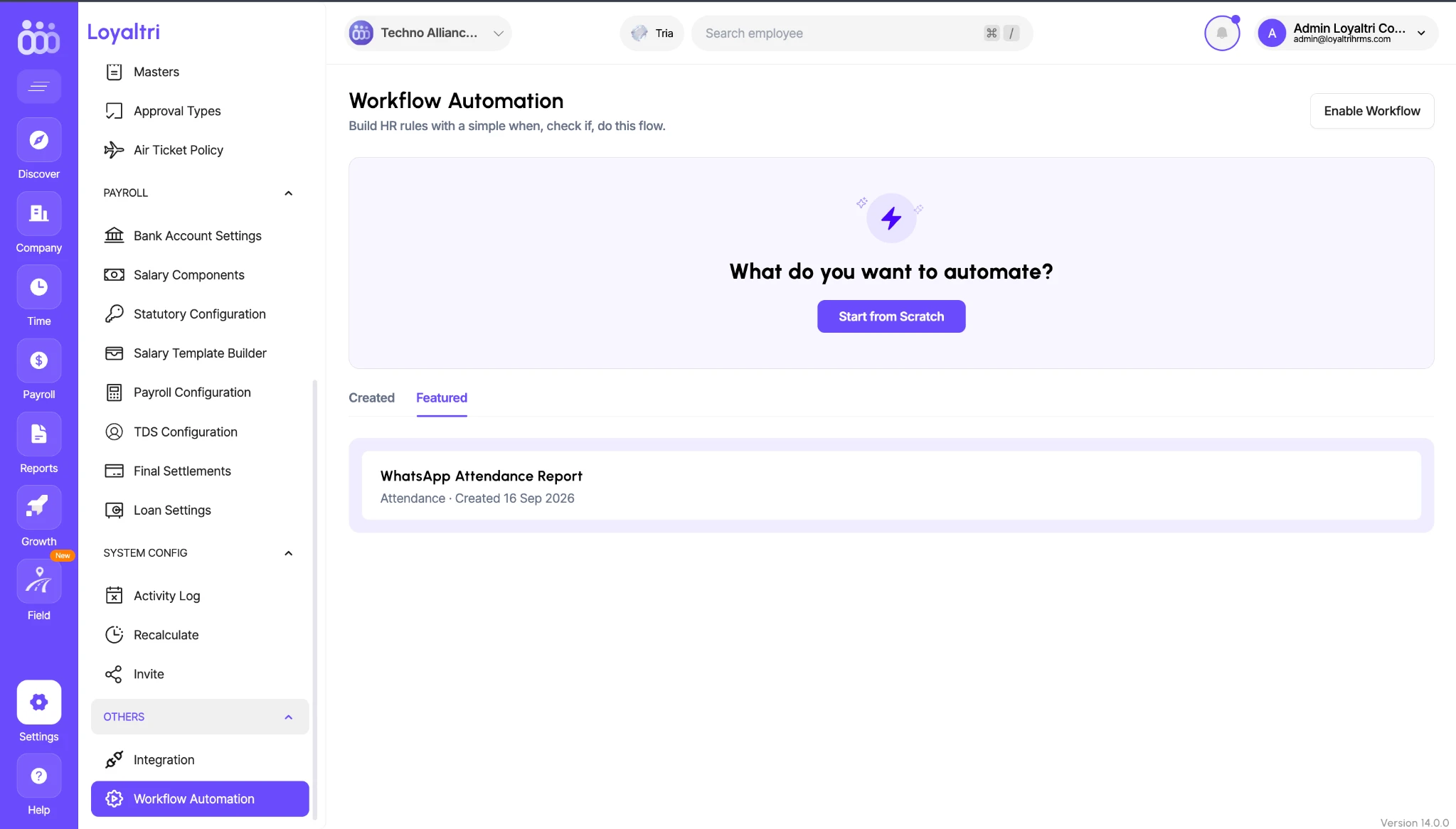
Introducing Workflow Automation, a new way to automate everyday HR actions in Loyaltri.
From adding shift allowances to sending attendance summaries and celebrating employee milestones, you can now configure rules that tell Loyaltri when to act, what conditions to check, and what action to take.
Once a workflow is configured and enabled, Loyaltri carries out the action whenever its conditions are met. This reduces repetitive work and helps your team apply company policies consistently.
This release introduces three types of automation:
1. Shift & Overtime Automation
Automatically add an extra allowance when an employee works a specified shift or their overtime exceeds a configured number of hours.
You can create rules for situations such as:
- Providing an additional allowance for working a night shift.
- Providing a tea or meal allowance when overtime exceeds a specified duration.
Define the qualifying condition and the allowance to add. Loyaltri then applies the configured action when the employee meets that condition.
2. Attendance Automation
Automate daily attendance updates and attendance status changes.
Daily attendance notifications: When the daily attendance is ready, send a summary to the configured recipients through email, WhatsApp, or both. Managers and employers can receive information such as the number of employees present, absent, on leave, and arriving late.
This helps managers stay informed without manually generating and sharing attendance updates each day.
Automatic half-day marking: Configure a minimum working-hour requirement for a particular shift. If an employee works fewer than the specified hours, Loyaltri automatically marks the attendance as a half day.
This reduces the need to review and update each qualifying attendance record manually.
3. Employee Event Automation
Set up actions for employee events, including:
- New employee joining: Trigger an email when a new employee joins.
- Birthdays: Send an email greeting or publish a post in the Loyaltri feed.
- Work anniversaries: Send an email or publish a feed post to recognise the employee’s milestone.
These workflows help teams communicate consistently and recognise important occasions without maintaining separate reminders.
How to Get Started
Go to Settings → Workflow Automation and click Start from Scratch.
Build your workflow by defining:
- When: The event that starts the automation.
- Check if: The conditions that must be met.
- Do this: The action Loyaltri should perform.
Configure and enable the workflow according to your company’s requirements.
How was this update?
Pick the face that best matches your reaction